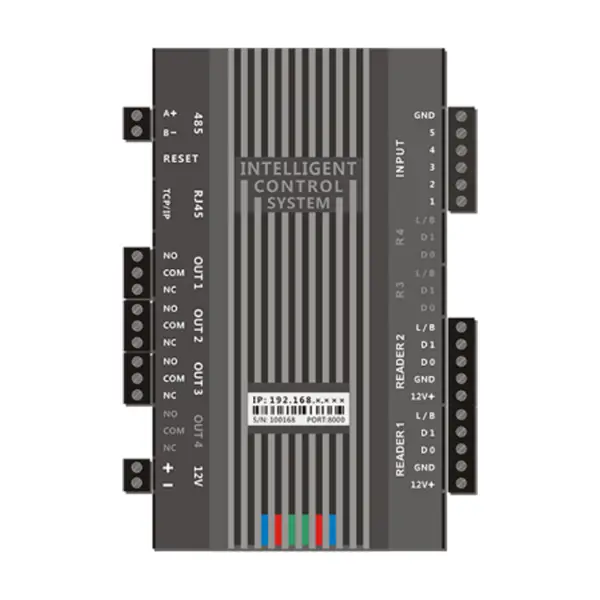
לוח בקרה גישה
IM.EA. MY06
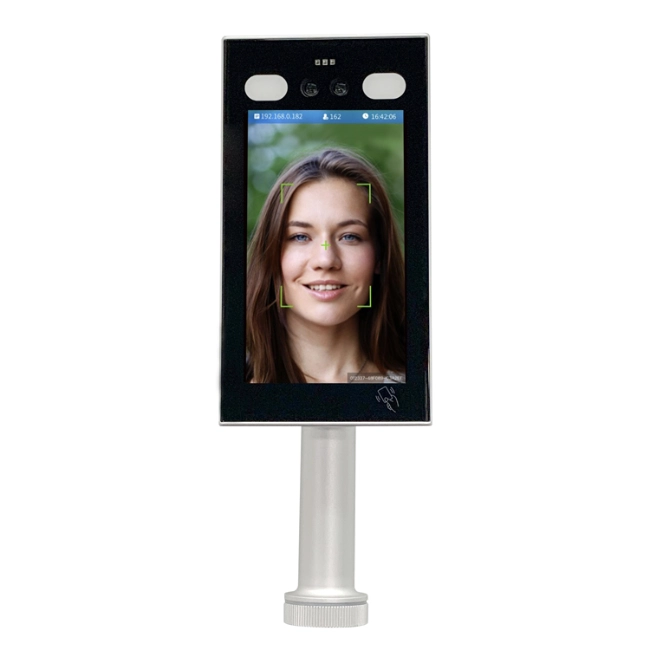
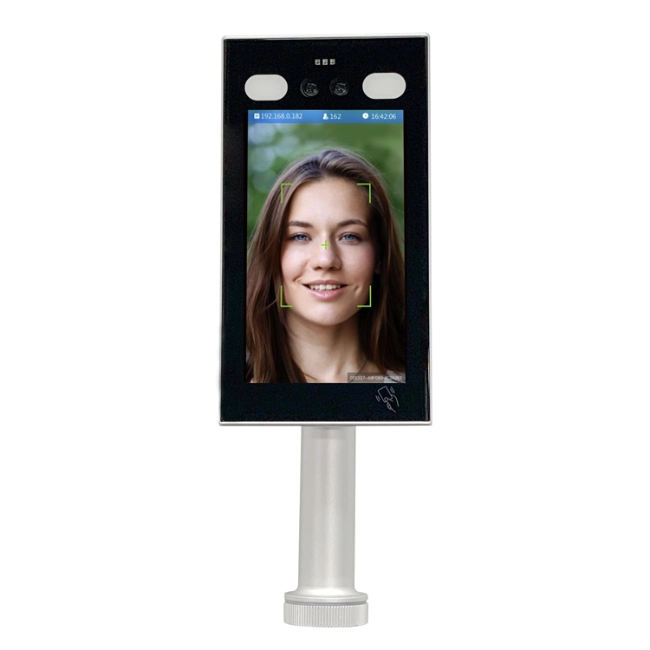
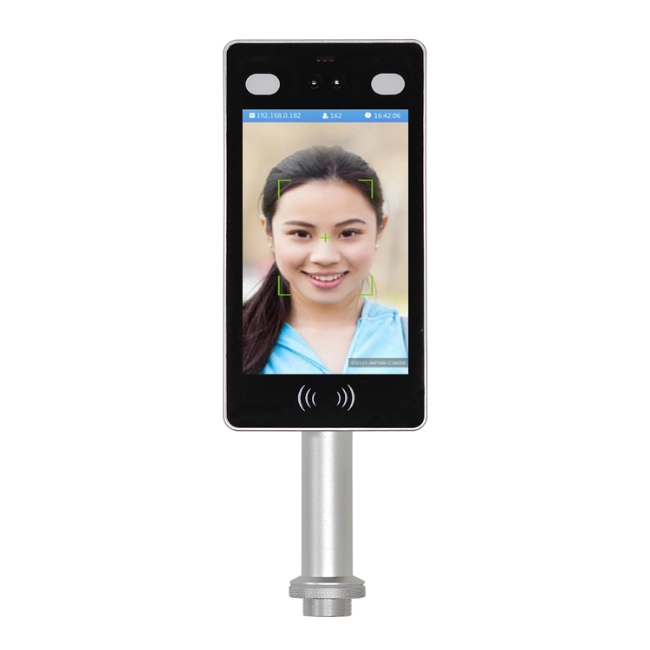
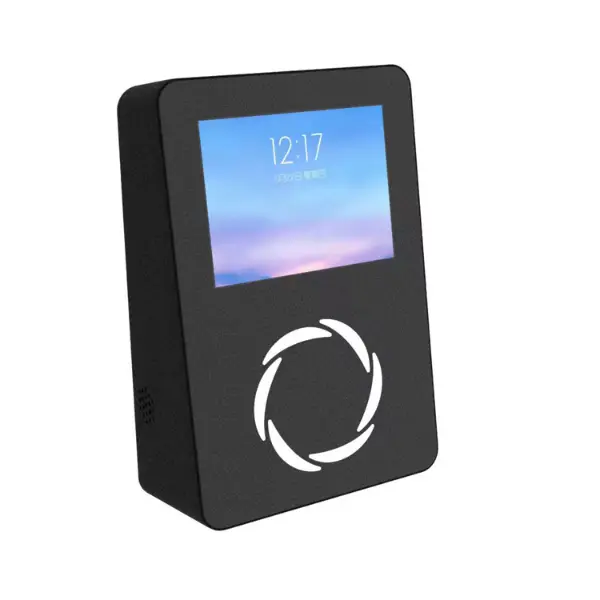
ה-IM.EA. פנל בקרת גישה MJ06 הוא בקרת גישה יעילה ויציבה לדרישות ניהול האבטחה העכשוויות. זהו מרכיב חשוב במנגנוני בקרת גישה במקומות רבים, כולל בנייני משרדים תאגידיים, בתי ספר, מלונות, קהילות מגורים, ואחרים, ומבטיח בהצלחה בטיחות וסדר של אנשים בגישה וביציאה למתחם.
-

הפאנל תומך בקוראי כרטיסים כפולים לשיפור אבטחת הכניסה והיציאה.
-
הוא מציע ניהול בקנה מידה גדול עם 45,000 קיבולת כרטיסים.
-
אחסון לא מקוון של 21,000 רשומות מבטיחות שלמות נתונים אמינה.


זיהוי פנים

תצוגת LED

8 זוגות גלאי אינפרא-אדום

QR
סקירת לוח הבקרה של הגישה
לוח הבקרה של הגישה הוא מרכיב מרכזי בניהול כניסה מאובטחת; הוא מחבר בין מכשירי אימות שונים, מנעולי דלתות, ומערכות ניטור. הוא מופעל על ידי מעבד ביצועים גבוהים המסייע לעבד נתונים במהירות ולשמור על תקשורת עקבית בין המסופים לתוכנת הניהול המרכזית. העיצוב החזק שלו מבטיח אמינות ארוכת טווח עם מינימום זמני השבתה, מה שהופך אותו לאידיאלי לתשתיות קריטיות כמו משרדי החברה, בתי ספר, מלונות, וקהילות מגורים. בנוסף, המערכת מבטיחה תקשורת מוצפנת, מניעת גישה לא מורשית למידע רגיש של משתמשים.
אינטגרציה של מערכות חכמות
מנהלים יכולים לתכנת את לוח הבקרה של הגישה לקבל מספר מערכות אימות כגון כרטיסי RFID, קוראי ביומטריה, קודי QR, ו אפליקציות מובייל. הוא יכול גם להשתלב עם מערכות נוכחות בשעות, תוכנת ניהול מבקרים, ו פלטפורמות מעקב וידאו ליצור רשת אבטחה מקיפה. תכונות כמו נעילה מרובת דלתות, אנטי-passback, ו ניטור בזמן אמת חיזוק אבטחת המתקן תוך שמירה על תנועת עובדים חלקה.
תכונות
- תקשורת מהירה ויציבה בעזרת מעבד בעל ביצועים גבוהים
- RFID, אימות ביומטרי, קוד QR, ואימות נייד
- יכולות נעילה מרובת דלתות ויכולות נגד מעבר
- אבטחת נתונים באמצעות תקשורת מוצפנת
- נוכחות בזמן והתאמה לניהול מבקרים
- ניטור מרכזי ומרוחק
- תמיכה בעיצוב מודולרי לחומרה גמישה במיוחד
- עיצוב חומרה מודולרי משפר את יעילות התחזוקה על ידי מתן החלפה או שדרוג קלה של חלקים
- פרטי המוצר
- מפרטים
- התקנה ושימוש
- הערות
- שאלות נפוצות
פרטי המוצר
תכונות פונקציונליות
קלט ופלט רב-ערוצי
- קורא קלט עם כרטיסים כפולים: שני כניסות קורא כרטיסים עם גמישות לאימות כניסה או יציאה.
דוגמה: בבניין תאגידי, העובדים מחליפים פנימה והחוצה כדי למנוע טיילגייטינג. - פלט בקרה כפולה: דוגמה: דלת חדר מלון שולטת במנעול ובמצב ניטור בו-זמנית.
ניהול הרשאות בקנה מידה רחב
- 45,000 זכויות ניהול כרטיסים
- הגדרת הרשאות נוחה דרך תוכנת ניהול
- דוגמה: צוות ניקיון מתוכנת לגשת אחרי שעות העבודה
פונקציית אחסון לא מקוון
- 21,000 רשומות אחסון לא מקוונות
- העלאה אוטומטית לאחר שחזור הרשת
- מבטיח שלמות ואמינות הנתונים
שלבי התקנה
- קבעו את מקום ההתקנה
- התקן את לוח הבקרה
- התקן את קורא הכרטיסים (קווי ויגנד)
- התקני בקרה לחיבור (מנעולים חשמליים, באמצעות מגנטים)
- חבר את ספק הכוח (DC 12V)
- הגדרת הגדרות תקשורת (RS485 או TCP/IP)
שיטת השימוש
- הגדרת הרשאות: רשמו משתמשים והגדירו הרשאות גישה
- כניסה/יציאה של צוות: אימות כרטיסים לגישה
- שאילתת רשומה: השתמש בתוכנת ניהול או לוח בקרה ליומני גישה
הערות
- תמיד תכבה לפני החיווט כדי למנוע הלם
- הימנע מטמפרטורות גבוהות, לחות, והפרעות אלקטרומגנטיות
- בדוק מדי פעם את ביצועי המכשיר
- התקשרו לאנשי מקצוע לתיקונים
קלט ופלט רב-ערוצי
- קורא קלט עם כרטיסים כפולים: שני כניסות קורא כרטיסים עם גמישות לאימות כניסה או יציאה.
דוגמה: בבניין תאגידי, העובדים מחליפים פנימה והחוצה כדי למנוע טיילגייטינג. - פלט בקרה כפולה: שתי יציאות בקרה שיכולות להתחבר למנעולים חשמליים או למגנטים של דלתות לשליטה מדויקת בדלת אחת או שתיים.
דוגמה: דלת חדר מלון שולטת במנעול ובמצב ניטור בו-זמנית.
ניהול הרשאות בקנה מידה רחב
- 45,000 זכויות ניהול כרטיסים
- הגדרת הרשאות נוחה דרך תוכנת ניהול
- דוגמה: צוות ניקיון מתוכנת לגשת אחרי שעות העבודה
פונקציית אחסון לא מקוון
- 21,000 רשומות אחסון לא מקוונות
- העלאה אוטומטית לאחר שחזור הרשת
- מבטיח שלמות ואמינות הנתונים
מפרטים
פרמטרים טכניים
| פרמטר | פרטים |
| יכולת אחסון | 45,000 זכויות ניהול כרטיסים, 21,000 רשומות אחסון לא מקוונות |
| ממשק תקשורת | ממשק התקשורת RS485, מרחק תקשורת עד 1200 מטר; מודול TCP/IP אופציונלי לבקרת רשת מרחוק |
| מתח עבודה | DC 12V |
| טמפרטורת עבודה | -10°C ~ 50°C |
| לחות עבודה | 10% ~ 90% RH, אין עיבוי |
התקנה ושימוש
שלבי התקנה
שלבי התקנה
- קבעו את מקום ההתקנה
- התקן את לוח הבקרה
- התקן את קורא הכרטיסים (קווי ויגנד)
- התקני בקרה לחיבור (מנעולים חשמליים, באמצעות מגנטים)
- חבר את ספק הכוח (DC 12V)
- הגדרת הגדרות תקשורת (RS485 או TCP/IP)
שיטת השימוש
- הגדרת הרשאות: רשמו משתמשים והגדירו הרשאות גישה
- כניסה/יציאה של צוות: אימות כרטיסים לגישה
- שאילתת רשומה: השתמש בתוכנת ניהול או לוח בקרה ליומני גישה
הערות
- במהלך ההתקנה והחיווט, ודא לנתק את ספק הכוח כדי למנוע הלם חשמלי ונזק לציוד.
- הימנע משימוש במכשיר בטמפרטורה גבוהה, סביבות לחות או עם הפרעות אלקטרומגנטיות חזקות.
- בדוק באופן קבוע את מצב התפעול של המכשיר, כגון מהירות התגובה של קורא הכרטיסים ומצב העבודה של המנעול החשמלי, כדי להבטיח את תפקוד מערכת בקרת הגישה התקין.
- אם המכשיר נכשל, אל תפרק אותו לבד, פנה לאנשי מקצוע טכניים לצורך תחזוקה.
שאלות נפוצות
הערות
- תמיד תכבה לפני החיווט כדי למנוע הלם
- הימנע מטמפרטורות גבוהות, לחות, והפרעות אלקטרומגנטיות
- בדוק מדי פעם את ביצועי המכשיר
- התקשרו לאנשי מקצוע לתיקונים
צרו קשר עוד היום
♦איכות גבוהה, שערי כיתה במחירים תחרותיים
♦אספקה בזמן, טווח גלובלי
♦הצעת מחיר מפורטת בחינם בתוך 12 שעות
בקש הצעת מחיר
בין אם אתה צריך תיקון, ביקור באתר, ציטוט או פשוט שאלות כלליות, אנחנו כאן כדי לעזור. צרו איתנו קשר עוד היום והצוות שלנו ייצור איתנו קשר בחזרה 24 שעות